
How can I migrate osConcert safely to another server host?
Points to know when migrating osConcert to another server
IMPORTANT: First you will have compressed and 'zipped' your existing osConcert application and downloaded to your computer.
You should have also SAVED the existing database. Usually exported via your phpMyAdmin Database Manager.
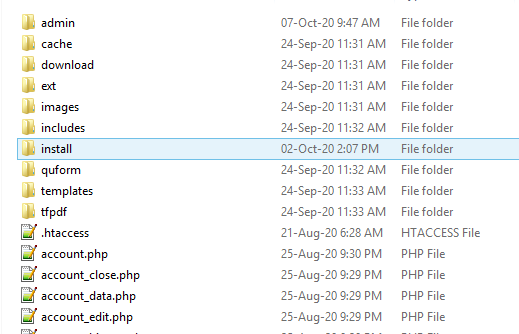
Make sure you application has the ‘install’ folder (ask osConcert for the correct version)
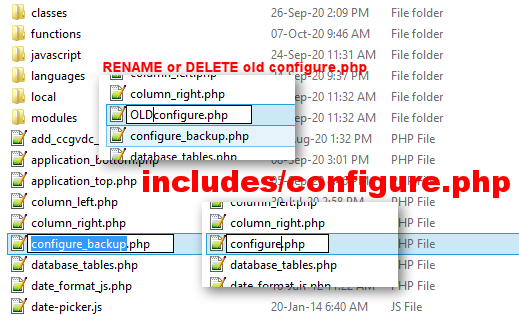
Make sure we have clean configure.php files (use includes/sample-configure.php)
includes/configure.php
admin/includes/configure.php
When you have created your new database
Go to your phpMyAdmin Database Manager and IMPORT your SAVED “osConcert” database
Upload an extract your SAVED application to your directory via File Manager or FTP

If it is for a sub-domain, we presume the folder will be name ‘tickets’
Find the application in your browser and run the install (Installation Guide)
THIS IS IMPORTANT
It tells us your database is already installed (you IMPORTED it earlier through your phpMyAdmin)
CONTINUE
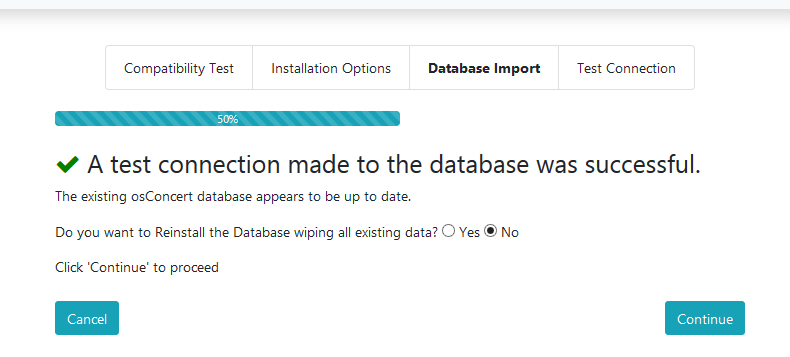
We just need to CONTINUE through the process to the end